
Free Subject Line & Preview Text Swipe File: Get Your Emails Opened
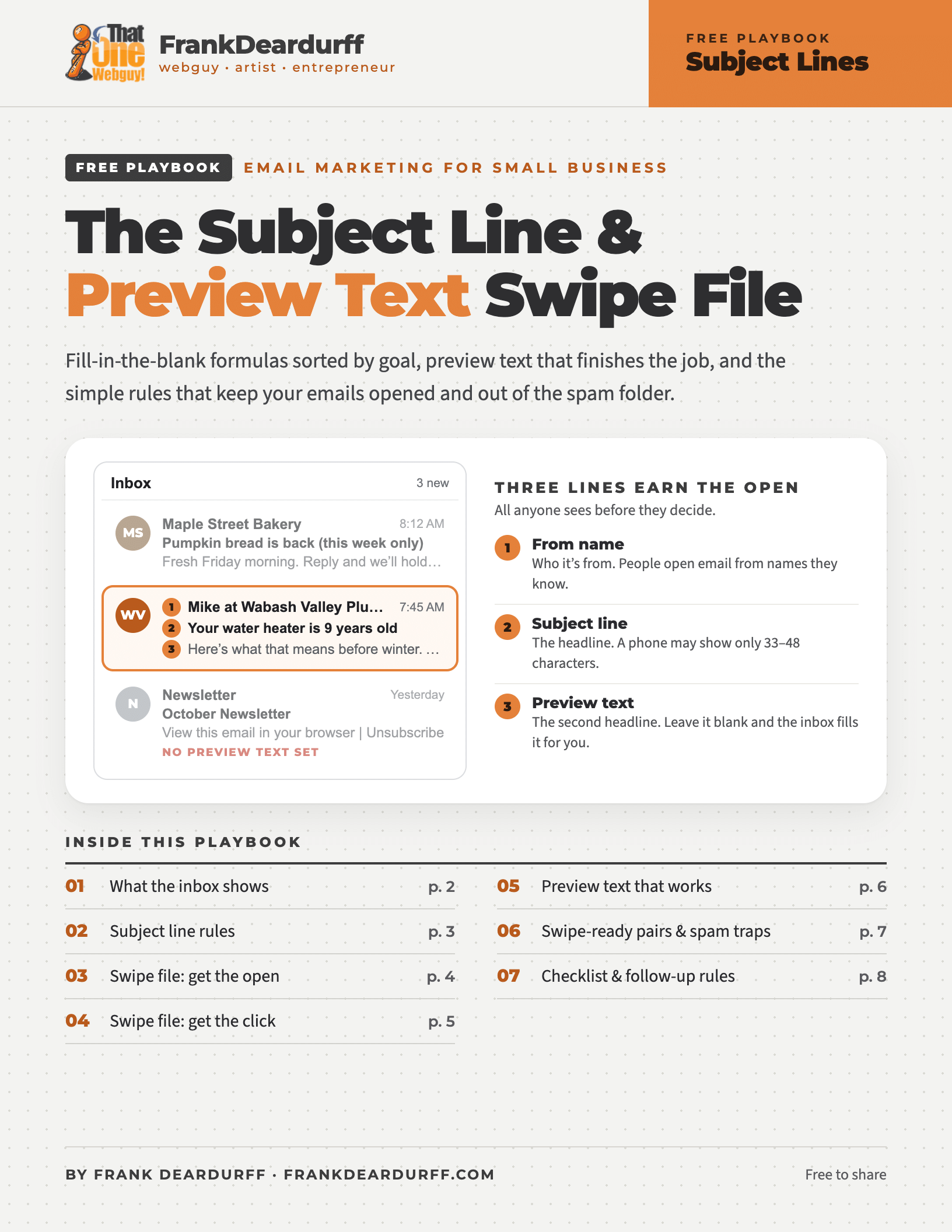
Before anyone reads a word of your email, they decide from three short lines in their inbox: who it’s from, the subject line and the preview text. On a phone, most of your subject line gets cut off, and if you leave the preview text blank, the inbox fills it in with something like “View this email in your browser.” So I put together a free swipe file with fill-in-the-blank subject lines, preview text that finishes the job, and the simple rules that keep your emails out of the spam folder.
What’s inside
- What the inbox shows: how many characters of your subject line each phone and email app actually displays
- Subject line rules: eight rules, plus before-and-after rewrites of weak subject lines
- Ten swipe-ready formulas: sorted by goal, from curiosity and how-to to offers, deadlines and win-backs
- Preview text that works: five rules and subject-and-preview pairs you can adapt
- Checklists: spam traps to avoid, a before-you-send checklist and a follow-up email series
Three things to check today
- Your from name. Use a name people recognize, like “Mike at Wabash Valley Plumbing,” and keep it the same every time. Skip “no-reply” addresses; replies are a good sign to inbox providers.
- Your preview text. Find the preview or preheader box next to the subject line in your email tool and fill it in. Don’t repeat the subject: use it to add the detail or the reason to open now.
- Your subject line on a phone. Send yourself a test. If the first 30 or so characters don’t make sense on their own, rewrite it so the important words come first.
Great subject lines won’t help if your email lands in spam. If you’re not sure your domain is set up to send email, start with SPF, DKIM & DMARC in Plain English and The Email Security Checklist.
It’s part of my free playbook library, alongside the Google Business Profile Playbook, the Brand Message Playbook and the Social Media Size Cheat Sheet.